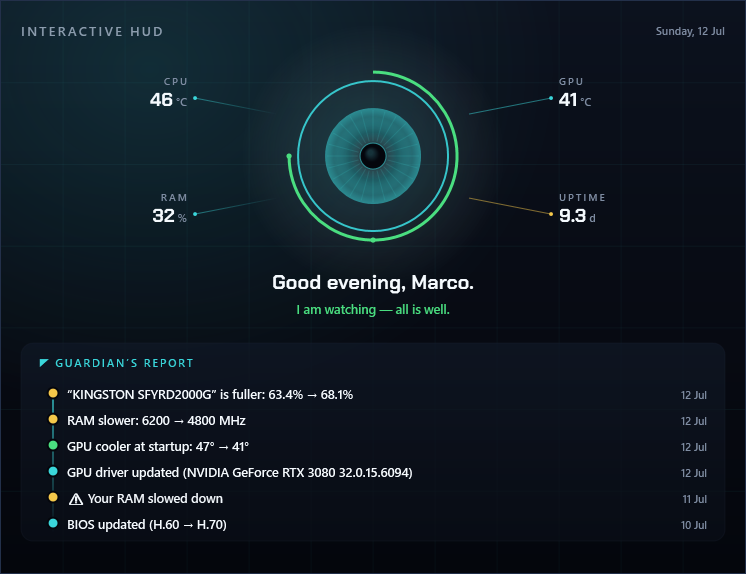
The Panel isn't just pretty. It's the hub. It reads your machine, remembers your day, and puts every tool a single click away.
👋
It greets you by name
Open Interactive Hud and the Panel welcomes you, a small touch that makes your rig feel like yours.
🧠
What changed since last time
A one-line story of your day: software, updates, drivers, your previous session. Right at the top.
🩺
Live system health
CPU, GPU, RAM, temps and power at a glance, with a calm state color that shifts as your rig heats up.
⏱️
Uptime & restarts
How long since the last restart, so you know when your PC could use a fresh start.
🧰
Every tool, one click
The machine timeline, its memory, the monthly health report, session compare and your reports, all reachable from the Panel, no menu-diving.
📱
Send it to a second screen
Put your temps, FPS, RAM and CPU + GPU watts on a phone, tablet or laptop on your network, for a totally clean game screen. Switch it on in Settings → General. LAN-only.
🎚️
Overlay on demand
Start with just the Panel. Summon the animated overlay only when you want it on screen.